Design
Architecture
The system was modelled before coding began. This identified the context within which the system operates including user interactions and components used to build the system.
C4 Models:
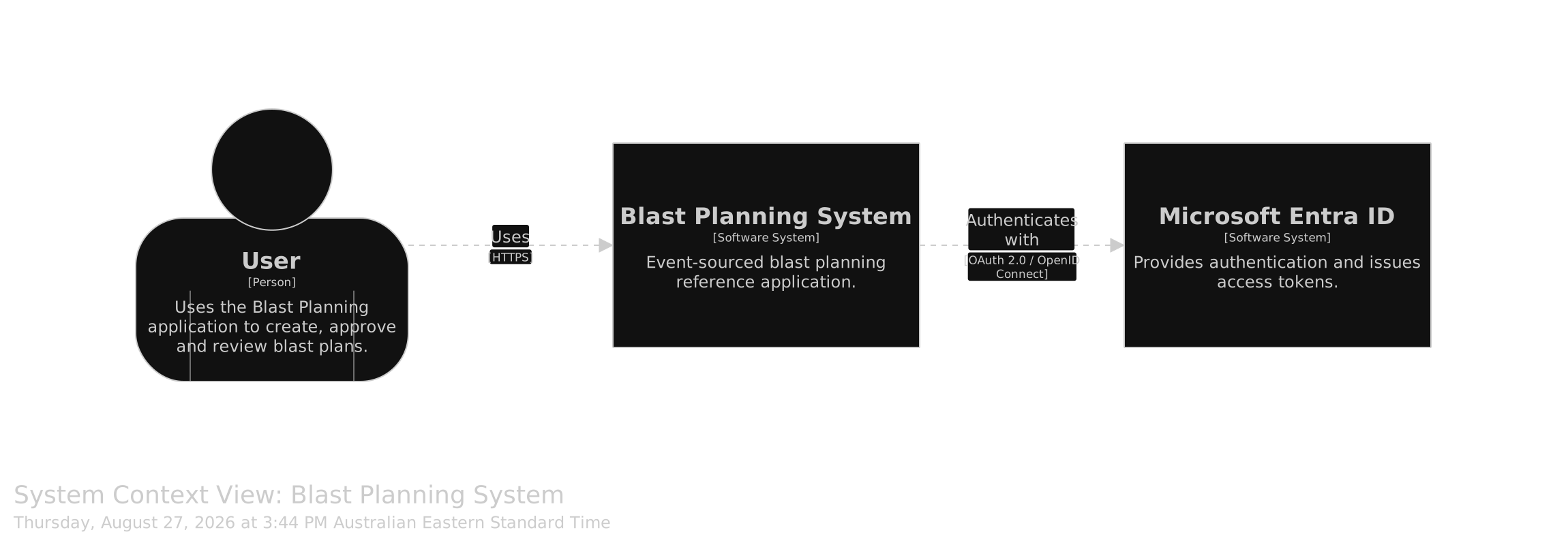
This approach to modelling systems implements a hierarchical “drill-down” approach. The top-level context diagram indicates user interaction with the system as a black-box as well as any other systems separate from this that are integrated.
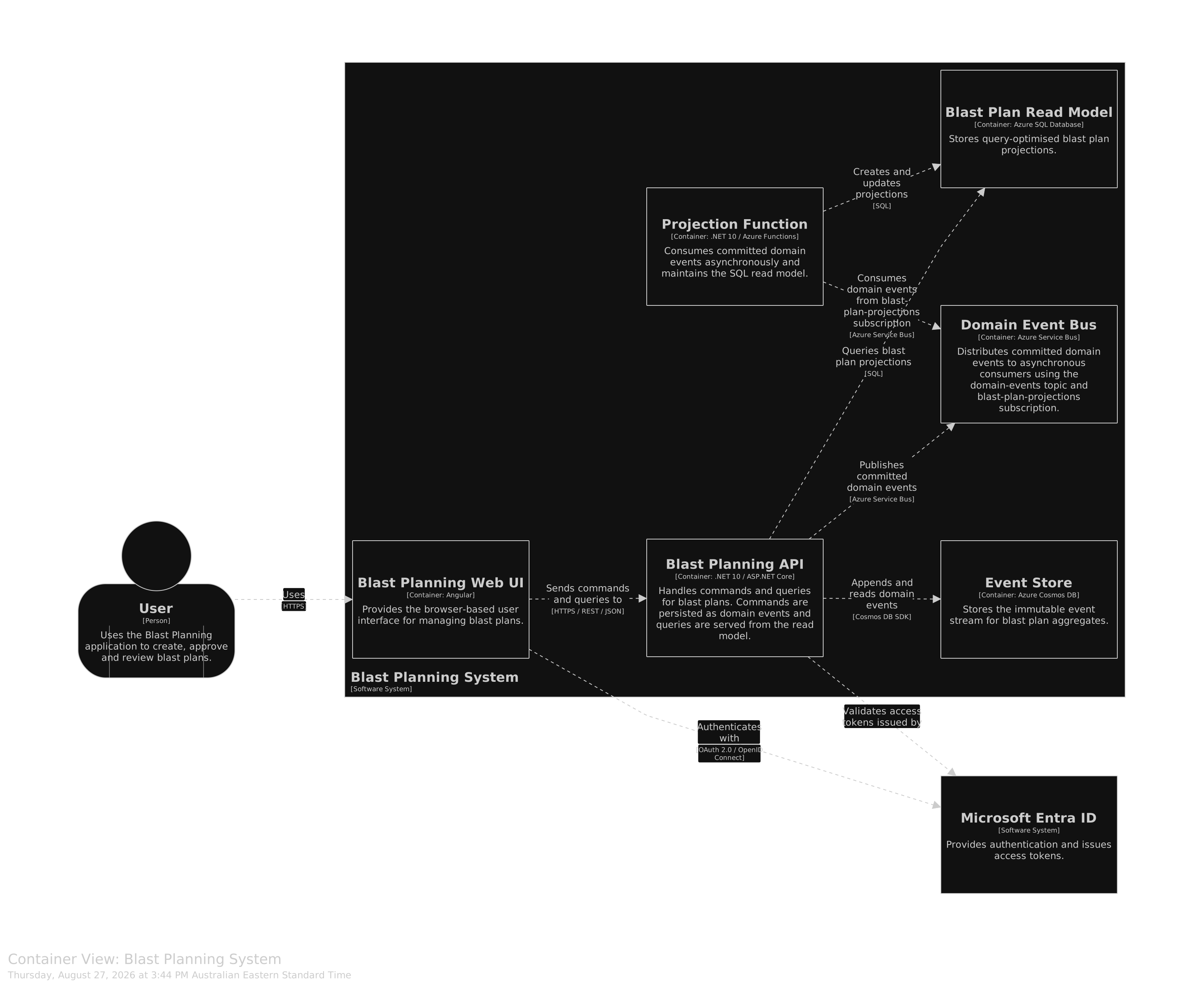
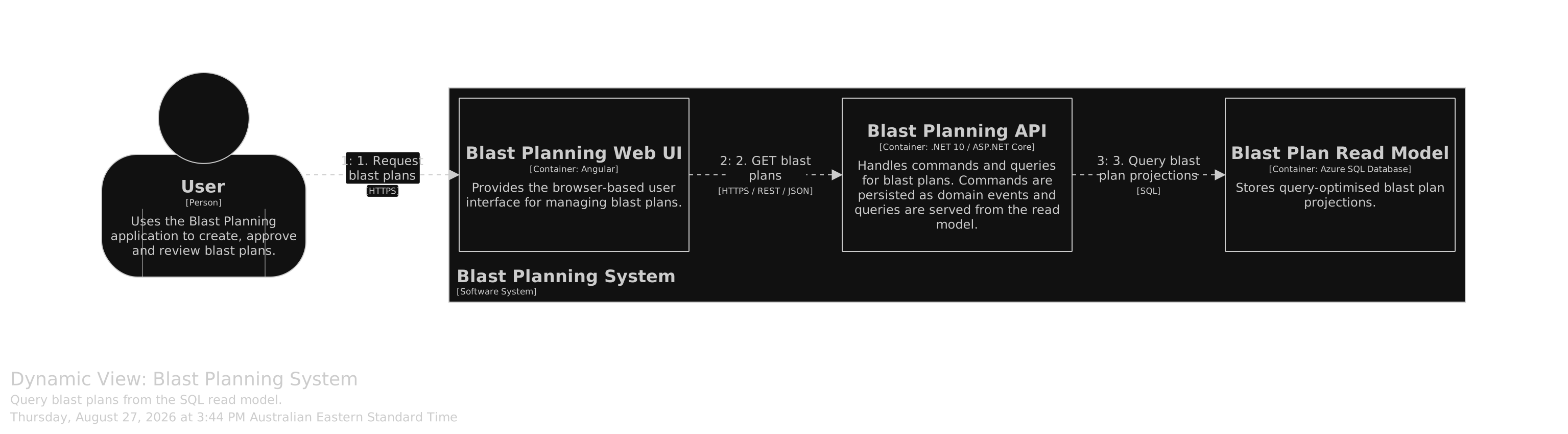
I have separated the views into top level context and container views which show the environment the system operates in as well as the cloud deployable resources. The three final views show dynamic interaction of components during an event or query.
More information can be found here: c4model.com
Structurizr
This tool implements diagrams-as-code which can be displayed and interacted with in a browser. A viewer can drill down into more detailed views. The code for the diagrams can be viewed in the repository in the docs/architecture/structurizr folder.
More info: structurizr.com
How to read these views
- System Context - who uses it and any external systems it depends on.
- A BlastIQ user creates, approves and queries plans via a web interface.
- The user is authenticated by MS Entra ID.
- Container - the deployable pieces (web, API, data, workers) and their protocols.
- An Angular based web application hosted in App Service
- Restful API hosted in App Service
- Cosmos DB based event store
- Azure SQL for storing projections
- Service Bus topic handles routing of events to worker
- Azure Function acts as projection worker
-
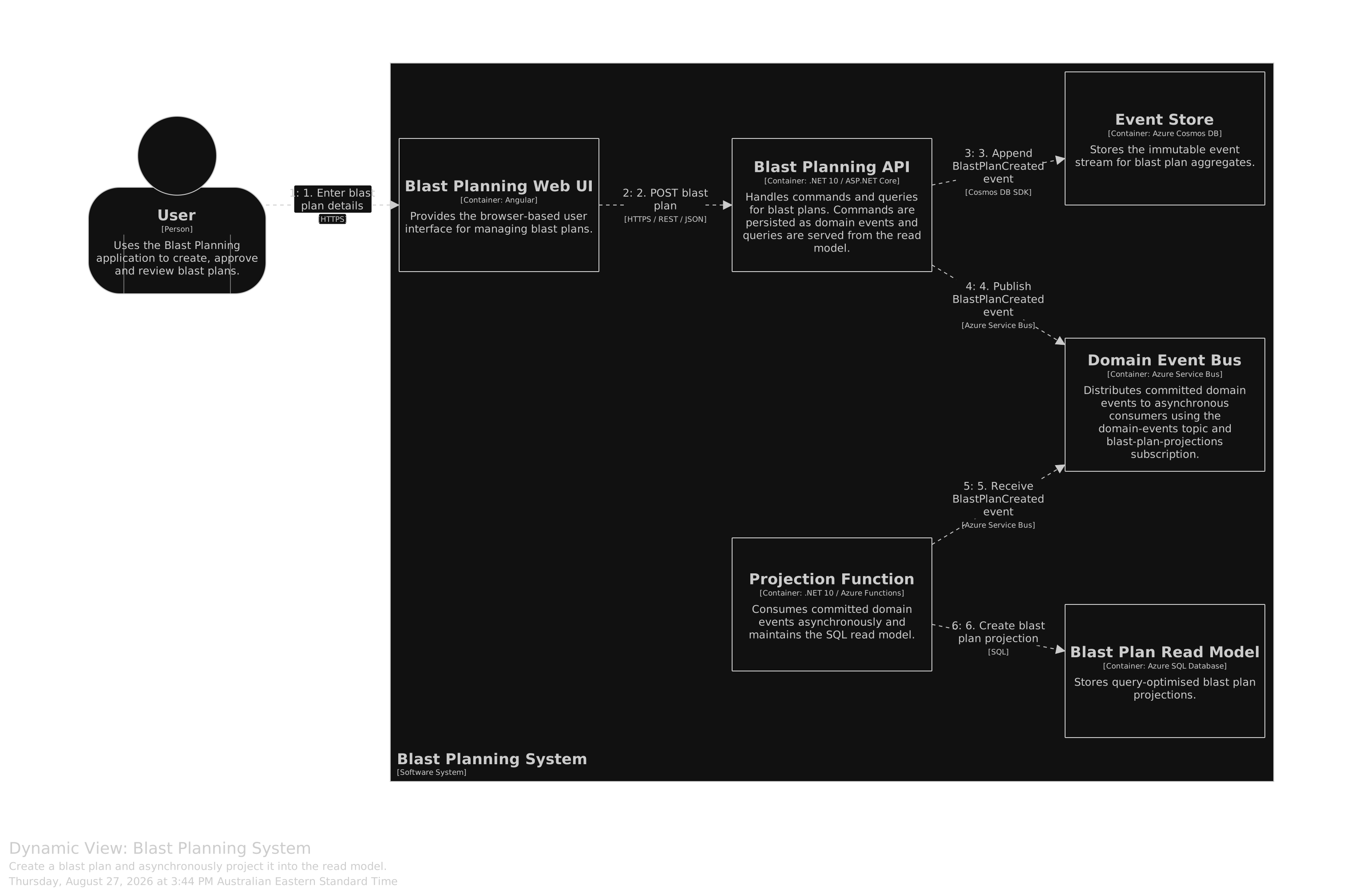
Create Blast Plan - dynamic view - blast plan creation.
- Authenticated user enters blast plan details into Web UI
- Plan details sent to API via HTTPS Post command
- API stores BlastPlanCreated event in Cosmos DB. This begins the immutable event stream
- API registers BlastPlanCreated event in Service Bus topic
- Azure Function consumes BlastPlanCreated event from Service bus via trigger and inserts new Blast plan record in Azure SQL db
-
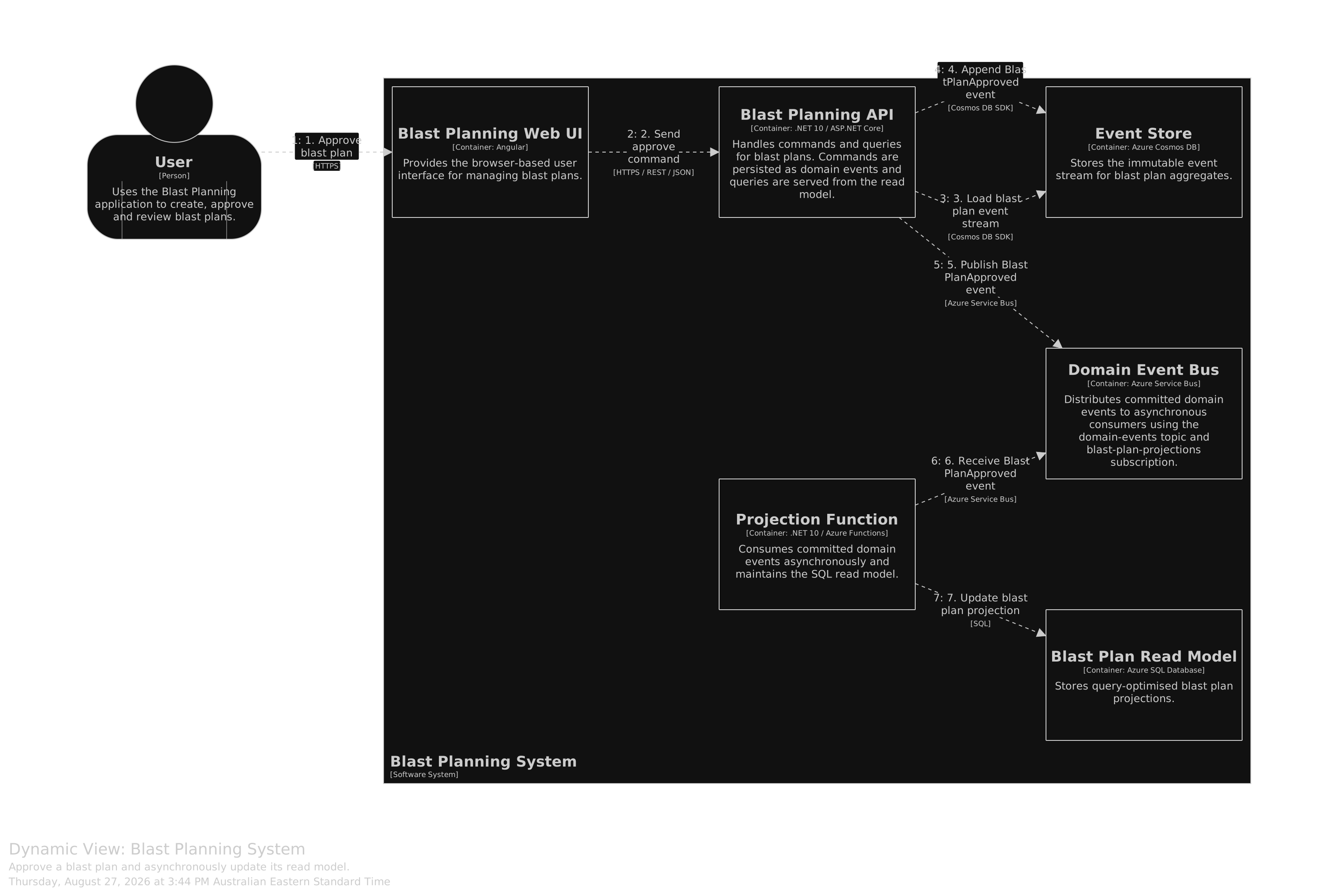
Approve Blast Plan - dynamic view - blast plan approval.
- Authenticated user views blast plan and approves it
- Blast plan approve message sent to API via HTTPS Post command
- API appends BlastPlanApproved event to event stream associated with plan in Cosmos DB
- API registers BlastPlanApproved event in Service Bus topic
- Azure Function consumes BlastPlanApproved event from Service bus via trigger and updates existing Blast plan record in Azure SQL db - this achieves “eventual consistency” for blast plan i.e the current status of plan is projected to the SQL DB for querying
-
Query Blast Plan - dynamic view - querying a blast plan.
- User queries blast plan details using web UI
- Blast plan query sent to API via HTTPS Get request
- API handles query via domain Query and retrieves most recent plan projection from Azure SQL